How DrivOQ works
See how a booking moves through DrivOQ, from the first request to the paid trip, and what one flat monthly price covers.
Month-to-month, no contract.
Your monthly bill
Everything you pay in a month, at any fleet size.
700 bookings a month included. Bookings pause at the limit until the next month or an upgrade.
The DrivOQ Driver app is live on both stores


Follow one booking through DrivOQ.
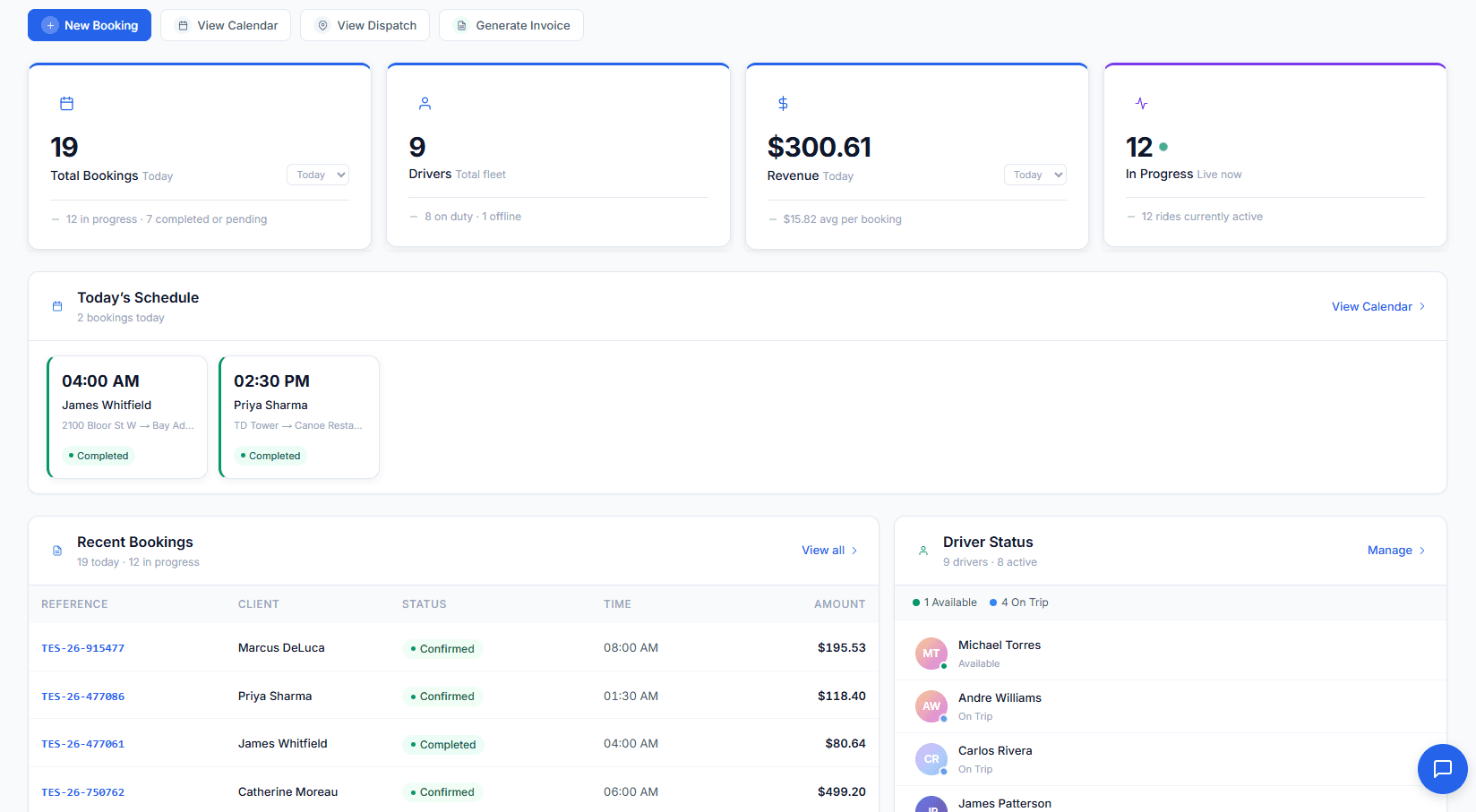
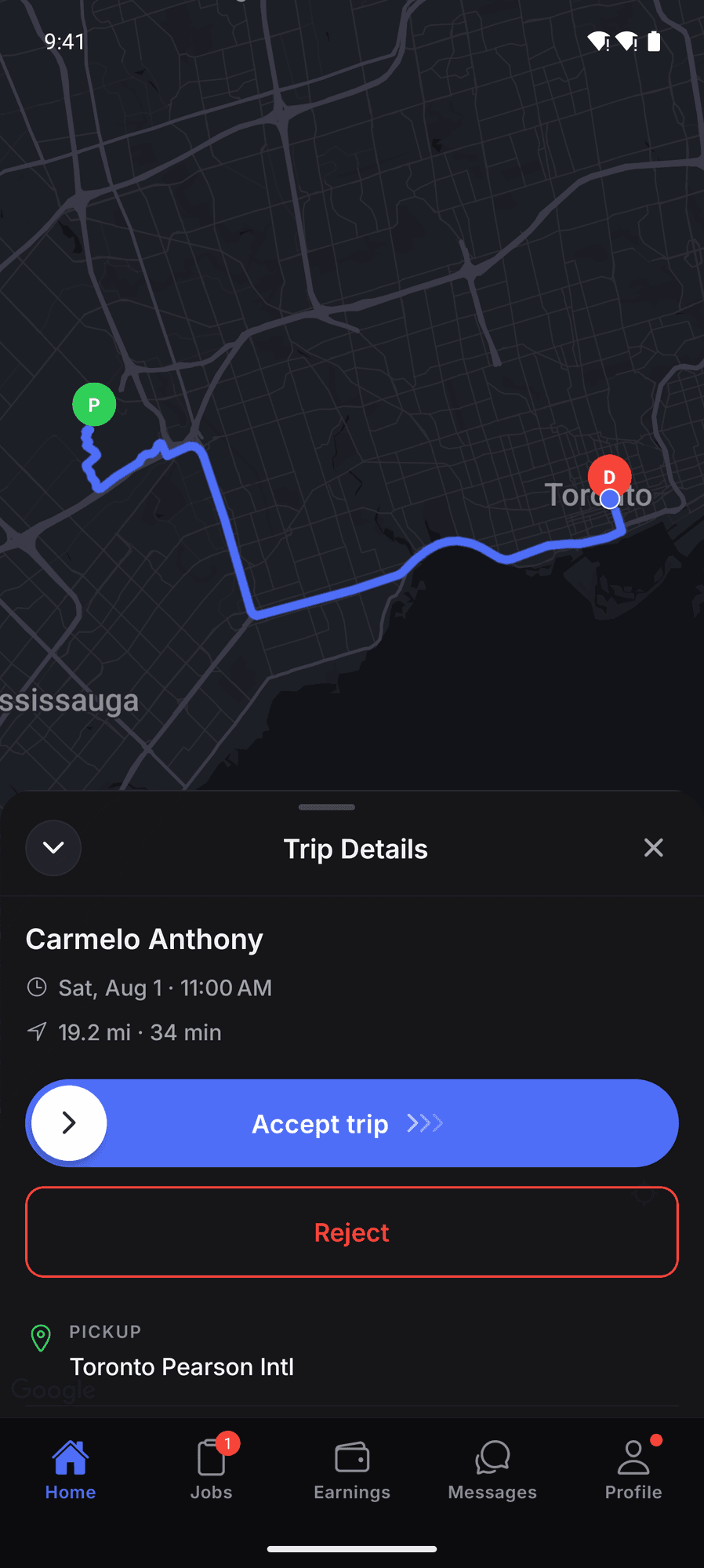
The office, the driver, and the client all look at the same record. Here is a 4:40 AM airport run, from the request to the invoice, with nothing re-typed in between.
Everything else that comes with it.
Smart auto-assignment
Vehicle class, availability, proximity, and rating. The best match is offered the moment a booking lands.
Branded booking page
Your logo and your colors. Quotes and confirmations look like yours, not ours.
Live trip tracking
Share a live map link. The client watches the car approach with no app and no login.
Invoicing
A trip closes and its invoice drafts itself. Reminders chase the rest.
Clients and payroll
Client history, corporate accounts, and driver pay periods sit next to the trips they came from.
Calendar and recurring runs
A month at a glance, and the weekday 7:15 AM that books itself.
Live in minutes.
No migration project, no consultant. The dashboard walks you through three required steps. Nothing is pre-filled, so your rates are your rates.
- 01Add a vehicle categorySedan, SUV, stretch. Capacity, base fare, and your per-distance and hourly rates.
- 02Add a vehiclePlate, category, capacity. Documents and reminders come later, when you want them.
- 03Set your tax and gratuity defaultsConfirm them once. Every quote and invoice uses them from then on.
Then invite your drivers, who get the app, and share your booking page. Requests land on the board and you confirm them with one click.
Why operators switch.
Your money, your drivers, your messages, and your bookings stay yours. Here is what that means on a normal Tuesday.
Card payments through your own Stripe account. Clients save a card when they book. The trip is charged when it completes, and cancellation fees and extra charges work the same way. The money lands in your Stripe. DrivOQ adds no fee on top.
A driver app on both stores. Trip offers, slide-to-confirm, navigation hand-off, and a live trail. Push-first, so reaching a driver never costs you a text.
Notifications your clients actually get. Emails are free and unlimited. SMS goes out on your own dedicated number at Twilio’s exact rate, with no markup.
Every booking waits for you. Client bookings arrive as requests. You confirm them, then the confirmation goes out. Nothing is ever auto-cancelled or auto-completed.
Airport runs, wedding days, executive accounts. Same board.
Three kinds of booking, exactly as they show up on your board.
Airport transfer
- When
- Tue, Sep 8 · 4:40 AM
- From
- Toronto Pearson (YYZ), Terminal 1
- To
- Fairmont Royal York
- Flight
- AC 118 · Meet and greet · Sign: HARRINGTON
- Bill to
- Horizon Capital, corporate account
- Driver
- Carlos Rivera · Sedan
Airport and corporate operators. Tight windows and repeat accounts. Auto-assignment and live status keep every transfer on time and every account manager calm.
Wedding, hourly
- When
- Sat, Sep 12 · 1:00 PM · 8 hours, as directed
- Stops
- St. Anne’s Church, High Park (photos), The Hazelton (reception)
- Vehicle
- Stretch limousine · 8 passengers
- Notes
- Champagne on ice. The bride is Priya.
- Bill to
- Priya Sharma · invoice on completion
Event and wedding fleets. Build the itinerary once. The driver, the client, and the invoice all follow it, stop by stop.
Executive account
- When
- Mon to Fri · 7:15 AM
- From
- Yorkville, home pickup
- To
- 100 King St W
- Notes
- Quiet ride. Water in the back.
- Bill to
- Horizon Capital · monthly invoice
- Driver
- Marco Bellini · Sedan
Executive chauffeur services. Preferences travel with every booking, and corporate billing closes itself at month end.
Runs on
Run your fleet on DrivOQ.
Set up your fleet in minutes, with setup help from the founding team.
Get startedMonth-to-month, no contract.